

Achieve Peace of Mind with Medical Alert Devices
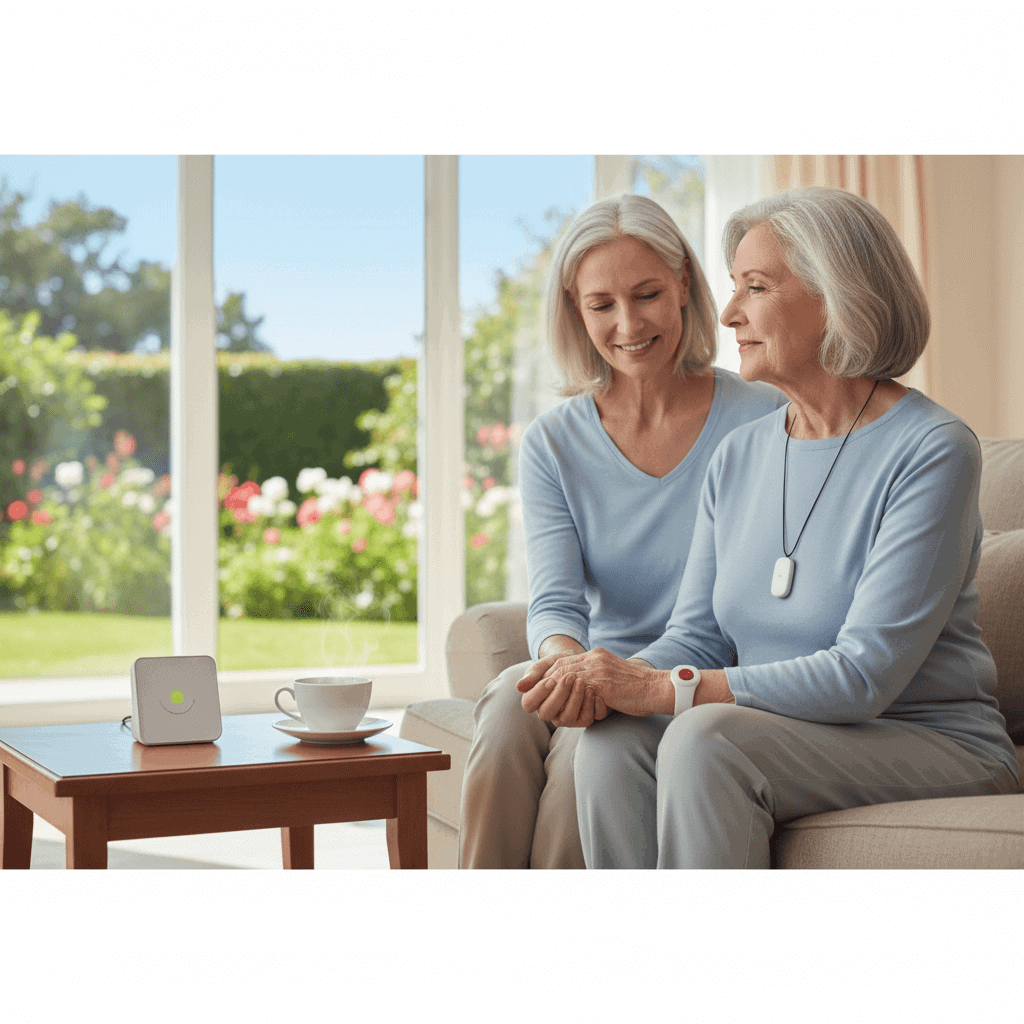
When someone you care about lives alone or faces a higher risk of falls and sudden health events the idea of a small device that can call for help can be very appealing. This article examines how personal alert systems work why many families choose them and practical steps to pick and use one so daily life feels safer and less stressful.
We will cover device types important features cost factors and real life examples that show how these tools can change outcomes. Read on for clear comparisons tips on setup and maintenance and a look at how to match a device to specific needs so you can make a confident choice.
How medical alert devices improve safety at home
Medical alert devices create a direct link to help when a user cannot reach a phone. That link is the most obvious advantage. For someone who slips or becomes dizzy the difference between waiting for hours and getting help quickly can change recovery time and medical costs.
Devices also reduce the need to depend on neighbors or family for constant check ins. A reliable fall detection sensor or a button that connects to a live operator can shorten response times and let the user keep more independence. Families often report reduced worry when a device is in place and a clear plan exists for emergency response.
Types of medical alert devices and how they work
There are several main styles of devices that cover different living situations and preferences. Understanding the options helps match the device to daily habits.
Wearable devices and fall detection
Wearable options include pendants wristbands and smart watches. Many models offer automatic fall detection that sends an alert if a hard fall is detected. Sensors use motion patterns to identify a collapse then contact a monitoring center if the user does not cancel the alert. This is useful for people with known balance issues or for those who spend time alone around the house.
Home base units and connectivity
Home base systems use a central console that connects to a phone line or cellular network. The console pairs with wearable buttons and sends two way voice calls to a monitoring center. This setup works well for users who spend most time indoors. Newer base units can also link to Wi Fi for software updates and additional features like location tracking within the building.
Key features to look for when choosing a device
When evaluating products compare these features because they impact reliability and real world usefulness.
- Response options whether the device reaches a professional monitoring center family contacts or both
- Detection accuracy the quality of fall detection to reduce false alarms and catch serious events
- Battery life how often the device needs charging and whether low battery alerts are sent
- Range and coverage the distance a wearable must be from the base unit and whether the device works outside the home
- Two way voice the ability to speak directly through the wearable during an emergency
- Water resistance so a device can be worn in the shower where many falls happen
Prioritize the features that address the most likely scenarios for the user. For someone who spends time outdoors choose devices with location tracking and cellular service. For a user at high risk of bathroom falls pick water resistant wearables with strong fall detection.
Costs subscription and value over time
Price comes in two parts initial hardware costs and ongoing monitoring fees. Hardware can run from low cost wearables under a hundred dollars to full systems with monthly subscriptions. Monthly monitoring fees vary and commonly include access to a live operator and emergency dispatch services.
To decide value consider the cost of delayed help. Faster response may reduce hospital stays and complications which can offset subscription fees. Also compare contract terms and the ability to pause or cancel the subscription if needs change.
When researching brands read independent reviews look for transparent billing and test the company response during a trial period. If you want a quick primer on whether the average device fits typical needs you can explore this topic for a deeper evaluation before buying.
Real life examples and use cases
Stories from actual users show how devices function under pressure and point to practical lessons.
- Example one an older adult who experienced a sudden dizzy spell was able to press a wearable button and get emergency services within minutes. The timely response prevented a longer hospital stay.
- Example two a person with a heart condition had a wearable that detected an overnight fall. The wearable connected to a monitoring center who contacted a neighbor to enter the home until paramedics arrived.
- Example three a caregiver living out of state used the device account to check battery and alert history to stay informed without daily phone calls.
These examples highlight common benefits such as faster contact with help fewer missed emergencies and useful remote management options for family members. They also show the importance of testing the device regularly and confirming local emergency services will respond promptly to monitoring center contact.
Tips for integrating a device into daily routines
Buying a product is only the first step. These practical tips increase the chance that a device performs well when needed.
- Wear the device at all times especially during high risk activities like bathing and gardening
- Test monthly to confirm connection and two way voice quality
- Keep chargers in predictable locations and set calendar reminders for charging
- Program emergency contacts and update them after moves or phone number changes
- Discuss a household emergency plan so everyone knows who will respond after an alert
Teaching the user how to cancel a false alarm reduces unnecessary dispatches and stress. If the user has cognitive decline use simple written instructions near the phone and on the fridge so visiting helpers can act quickly.
Common questions answered with practical advice
Many people have similar concerns before committing to a device. Here are clear answers you can use when talking with family or a provider.
- Will it trigger false alarms Some models do occasionally register false falls. Choosing a device with adjustable sensitivity and testing in daily life helps reduce false alerts.
- Is it hard to use Good devices are designed for simple operation. Look for large buttons clear status lights and simple voice prompts.
- What about privacy Monitoring centers follow privacy rules. Ask how data is stored and who can access location or call records.
- Can I get help outside the home Many cellular based systems provide mobile coverage. Confirm the device has GPS and cellular service if the user goes out often.
As you think about options include the user in the decision. A device that the user likes and will actually wear provides much more benefit than one chosen by a well meaning family member who overlooks comfort or design. Trial periods and easy returns are valuable when testing fit and comfort.
Choosing a personal alert device is a practical step families take to reduce the risk of long unattended emergencies and make daily living more manageable for someone who needs extra coverage. By comparing features matching them to likely scenarios and following simple setup and maintenance steps you can make a choice that fits budget and lifestyle. If you are ready to learn more about how specific devices perform and whether they align with your needs use the resources available and consider a trial so you see the device in real life. Taking that step now can lower stress for both the user and their family and provide a clear path to faster help when it matters most.